
Muskingum County VINELink Coverage
Ohio VINE is the state's custody-information and notification service. The Attorney General's brochure lists four county-jail notice types. Release, transfer, escape, and death events all trigger contact. Muskingum County's local entry point comes through the Prosecutor's victim-resources page, which posts the statewide VINE number, 1-800-770-0192. Searching online starts at VINELink.
The service follows custody events that participating agencies supply. It does not replace the Sheriff's booking record, the Zanesville Police roster, or a court docket. State prison is a different stream. When a Muskingum County case ends in an ODRC sentence, check the ODRC offender locator for the current state record too.
Search Muskingum VINELink Records
A precise search cuts down on mistaken matches. Have the person's full legal name ready, plus an age or date of birth, and use a booking or offender ID whenever one is on hand.
- Open VINELink and select Ohio.
- Choose the person or offender search offered for the Ohio service.
- Enter the full name. Add another available identifier to narrow common-name results.
- Compare all matching records by age, birth details, facility, and identifying number before opening one.
- Read the custody status and facility as a current service report, not a court outcome.
- Use the registration control on the correct record if alerts are needed.
The official VINELink search interface is the source for current search and registration controls.

The interface changes over time. Follow the current Ohio prompts on the screen and make sure the record you select belongs to the right person.
Muskingum VINELink Custody Fields
A result is built for custody awareness. Exact fields depend on the reporting agency and the person's custody setting, so two searches can look different.
| Result field | How to use it |
|---|---|
| Name | Match it with another identifier before relying on the result. |
| Offender or record ID | Distinguishes people with similar names and helps anchor an alert registration. |
| Custody status | Shows the service's current reported state, which may trail a very recent event. |
| Facility or agency | Indicates the reported custodian and can change after a transfer. |
| Event information | May support notices for release, transfer, escape, or death in county-jail coverage. |
| Notification options | Shows the channels currently available for that Ohio record. |
“Released” marks the end of a custody episode. That is how the agency recorded it. The charge may still stand. “Transferred” tells you custody moved, not where the person landed or how the case ended. For both points, check the receiving agency and the court.
Register Muskingum Custody Alerts
Registration costs nothing. Ohio's brochure documents the phone and email paths, VINEmobile adds a mobile route, and the current VINELink screen controls which options a record offers.
- Open the verified person record and choose to register for notifications.
- Select a telephone or email channel offered by the service.
- For telephone registration, create a four-digit PIN that is hard for another person to guess.
- For email registration, enter and confirm the address. Ohio's brochure says email registration does not use a PIN.
- Complete any confirmation prompt and save the record identifier.
- When a telephone notice arrives, use the PIN as directed to confirm receipt.
Keep your contact details current. A dead number, full mailbox, or filtered email can block delivery of an alert. Ohio's Attorney General says to call 911 for immediate danger, since one alert is no safety plan.
Muskingum VINE Phone Workflow
Muskingum County has a local route. The Prosecutor's victim-resources page points to the statewide VINE number. The Attorney General's brochure carries the registration steps. A victim advocate can walk you through the criminal-case process, though no advocate controls the data feed or guarantees an alert.
Phone registration asks for a four-digit PIN. Email registration does not. Pick the event stream that matches where the person is actually held, since county-jail alerts cover release and transfer while ODRC events follow the state corrections setting.
Note: Write down the record identifier and registration channel without storing the private PIN where others can see it.
Fresh Muskingum Arrest Delays
Someone arrested minutes ago may not appear. Transport, reception, screening, and data entry all happen first. The Muskingum County roster itself can lag. VINELink often trails that roster's update. Try spelling variants, give it reasonable time, then search again.
Zanesville cases call for both portals. The Sheriff portal covers the county jail, and the ZPD portal handles Zanesville Police inmate information. An urgent question that neither resolves can go straight to the Muskingum County Jail at (740) 455-7133. The Muskingum arrests last 24 hours workflow covers same-day checks in more depth.
The official Muskingum County Sheriff inmate inquiry is the direct fallback for confirming a fresh county-jail booking.
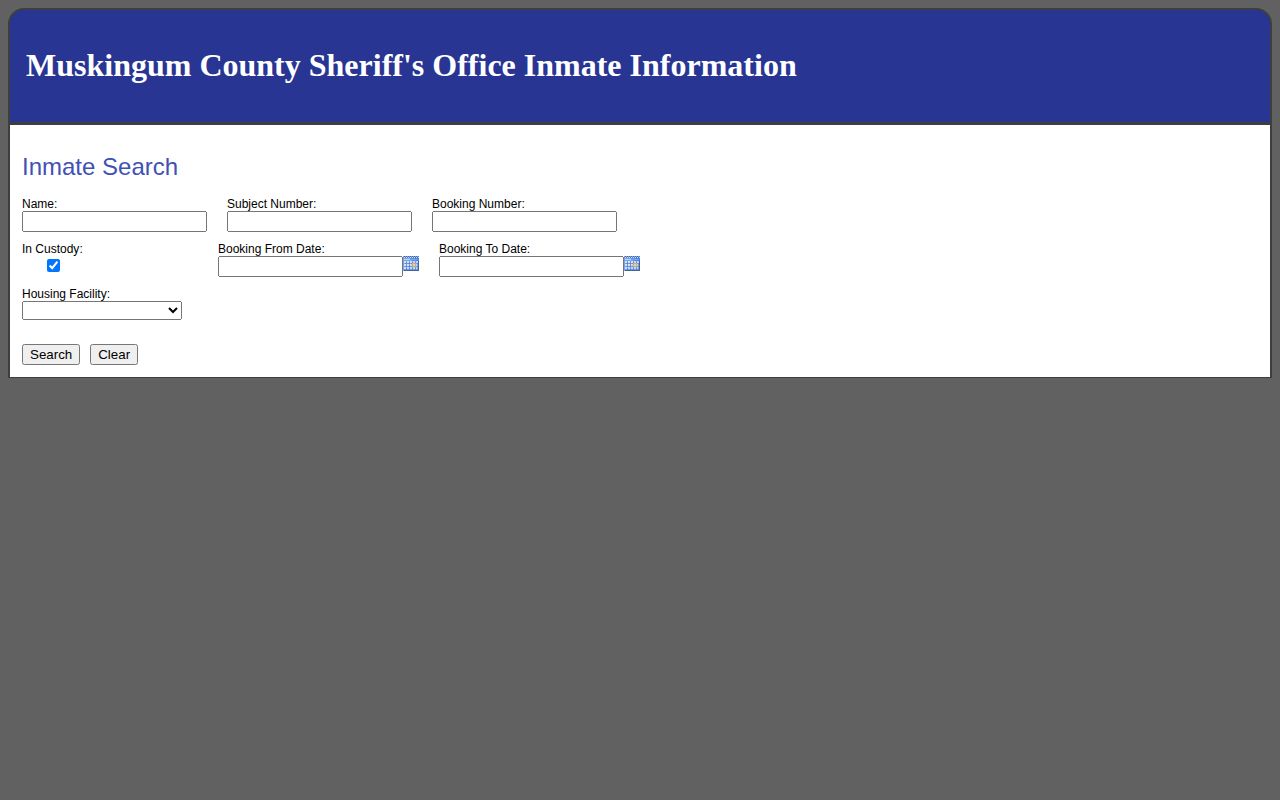
The Sheriff's inmate-inquiry page offers name, booking-date, custody, and housing filters.
Muskingum VINELink Limits
VINELink does not reach every custody system. Federal inmates belong in the BOP locator. Immigration detention belongs in the ICE Online Detainee Locator. A Muskingum County warrant without an arrest is not a booking record. A court docket can keep running after a custody alert ends. Delivery is never guaranteed. Data can run late. Identifiers can be entered differently, and an agency transfer can leave a short gap. Call the holding agency when timing affects safety or a court date. For state-prison custody, compare the VINE notice against ODRC's own offender search.
Custody Is Not Conviction
VINELink reports custody events, nothing more. It sets no bond. It records no final disposition either. A release notice does not explain itself, since bond, recognizance, sentence completion, transfer, or a court order can all be the reason.
For the legal outcome, read the court docket. The holding agency holds the custody facts. Both sources together give the fuller picture after a Muskingum County arrest.
Verify a Muskingum VINE Notice
A notice deserves a careful read the moment it lands. Play the recording or open the email in full. Line up the name, the record identifier, and the facility named in the message. Check each against the registration you saved. Watch for one wrinkle. A transfer can spawn a brand-new record in the receiving system. A second notice may follow the first. A release notice closes the jail chapter, though the court case can keep moving. If anything sounds muddled, call the facility directly instead of guessing at the alert's wording.
What about a notice that never comes? Go back to the VINELink record and confirm the phone number or email on file. Check that texts and calls were not blocked, and look through filtered mail. Keep your four-digit PIN handy if you registered by phone. Then call the Ohio VINE line or the Muskingum County Jail. Confirm live custody status there. Silence does not mean nothing changed.
One database should never carry the whole weight of a safety plan. The Prosecutor's victim-services office can point you to local support. True emergencies belong with 911. VINE watches a custody record. You do not have to search manually around the clock. Still, it only informs. It cannot enforce a protection order. It cannot predict anyone's conduct or replace direct contact with law enforcement.